 RouterLightsFix
Xfinity Router Blinking Orange: What It Means and How to Fix It
A blinking orange light on an Xfinity router or modem means the gateway is trying to connect to the Xfinity network and has not managed it yet. It is expected for a few minutes whenever the gateway restarts or updates, and it is a problem only when it keeps going or when your internet is down.
Xfinity's own light chart groups colors other than white, red and blue as the gateway connecting to Xfinity systems, and advises waiting about 15 minutes. The fixes below handle the cases where waiting is not enough. They apply to xFi gateways such as the XB6, XB7, XB8 and newer models; if you own a separate modem, the same logic applies.
What does blinking orange mean on Xfinity?
Orange (sometimes described as amber) is a connecting state. Common causes:
A local outage or maintenance
A loose or damaged coax cable, or a weak signal from a splitter
A firmware update in progress
A gateway that is not yet activated
A gateway that is overheating or failing
Blinking orange vs. solid orange
Blinking orange means the gateway is still trying to connect, and it is safe to troubleshoot after the wait time. A steady orange may accompany a firmware update; do not unplug it, and wait at least 20 minutes, because interrupting an update can damage the software.
How to fix an Xfinity router blinking orange
1. Check for an Xfinity outage
Open the Xfinity app on mobile data and look for an outage notice, or use the Xfinity status page. If there is an outage, wait; the gateway reconnects on its own.
2. Wait 15 minutes
If the gateway just restarted or is updating, orange is part of the process. Set a timer for 15 minutes before touching anything.
3. Restart the gateway
Use the Xfinity app (WiFi or Internet, choose your gateway, Restart), or unplug the power cord for 60 seconds and plug it back in. Give it about ten minutes to reconnect. A normal restart cycles through orange and green before settling on white.
4. Check the coax and power cables
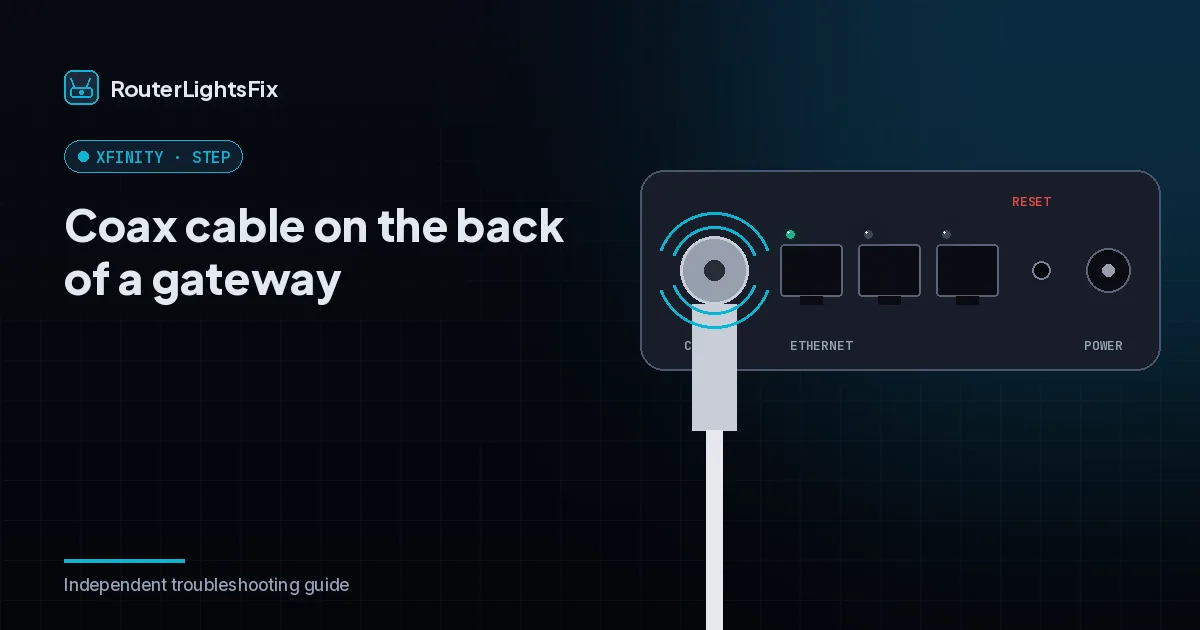
Unscrew the coax cable at both ends and re-tighten it finger-tight. Look for kinks or damage and replace worn cable. Plug the power cord directly into a wall outlet rather than a power strip if you can.
5. Bypass splitters
If the coax line runs through a splitter, connect the gateway directly to the wall outlet. Old splitters weaken the signal enough to knock a gateway offline.
6. Check for overheating
Move the gateway out of cabinets and away from other electronics, and let it cool for ten minutes before restarting. Older gateways in particular can overheat.
7. Factory reset the gateway
Use this as a last resort because it erases your WiFi name, password and settings. Press and hold the recessed reset button with a paperclip for the time your model specifies (roughly 30 seconds on many models), then wait 10 to 15 minutes and set WiFi up again in the Xfinity app. Our guide on how to reset an Xfinity router explains the difference between a restart and a reset.
Still blinking orange after an hour?
If the light is still orange after an hour with no reported outage, the cause is likely outside your home: a weak signal, a neighborhood wiring problem or failing equipment. Contact Xfinity through the app or the number on your bill. They can run a remote check, send a signal refresh, ship a replacement or schedule a technician. If your gateway is old, ask about a swap.
The bottom line
Orange means connecting. Wait 15 minutes, check for an outage, restart, fix the coax path and only then reset. If it still blinks after an hour, escalate to Xfinity.
Frequently asked questions about xfinity router blinking orange
Why is my Xfinity router blinking orange?
Orange means the gateway is trying to connect to Xfinity and has not finished. Common causes are a local outage, a loose coax cable, a firmware update or a weak signal. It is normal for up to about 15 minutes after a restart.
How long should an Xfinity router blink orange?
Up to 15 minutes is normal during a restart or update. If it is still blinking after 20 minutes, check for an outage and begin troubleshooting.
Is blinking orange the same as solid orange?
Not necessarily. Blinking usually means still trying to connect. A steady orange can accompany an update, so do not unplug the gateway; wait at least 20 minutes.
Why is my Xfinity modem blinking orange but the internet works?
Brief orange flashes without a drop often point to a loose coax connection or minor signal fluctuations. Tighten the cable, and if it happens daily, ask Xfinity to check your signal.
Does orange mean my gateway is broken?
Usually not. Outages, loose cables and updates are far more common. Suspect hardware only if it keeps blinking after a reset and Xfinity confirms your signal is healthy.
How do I restart my Xfinity gateway from my phone?
Open the Xfinity app, go to the WiFi or Internet section, select your gateway and choose Restart. The app notifies you when it is back online.