 RouterLightsFix
Modem vs Router: What Is the Difference and Which One Is Failing?
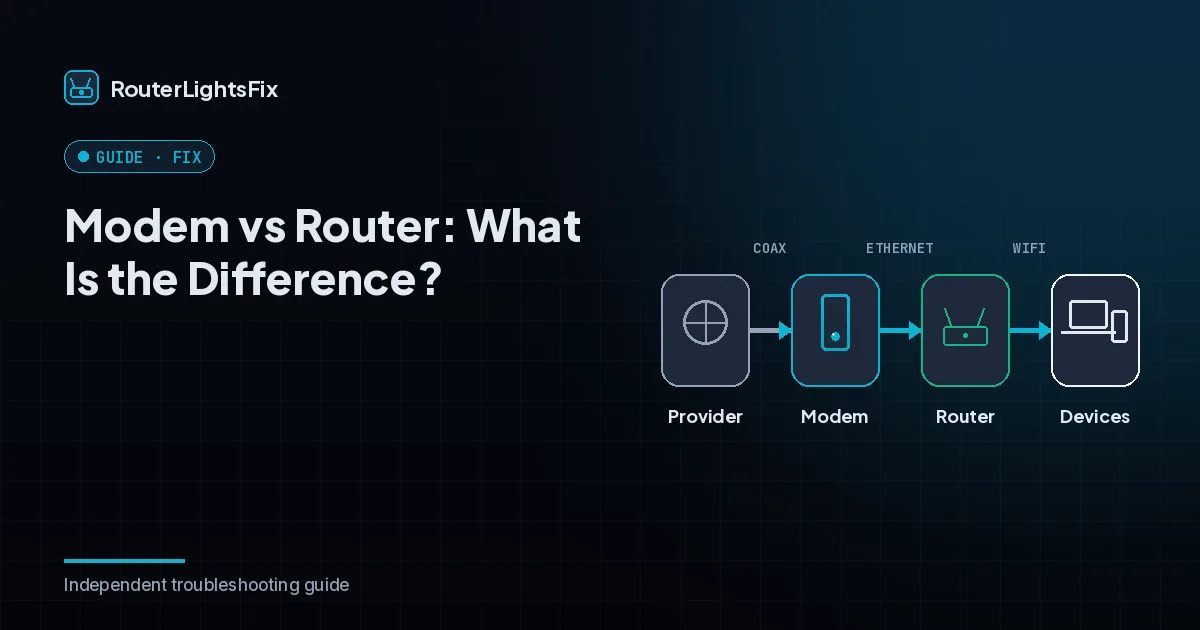
A modem and a router are often confused, and when your internet goes down, knowing which one is which tells you where to look. In plain terms: the modem brings the internet into your home, and the router shares it with your devices.
What does a modem do?
The modem is the device that talks to your internet provider. On cable it connects to the coax cable from the wall. On DSL it connects to a phone line. On fiber, the equivalent is an Optical Network Terminal. The modem turns the provider's signal into a form your home network can use.
What does a router do?
The router creates your home network. It shares the modem's connection with your phones, laptops, TVs and other devices, over WiFi and through Ethernet ports. It also handles your network name, your WiFi password and features like guest networks and parental controls.
| Modem | Router | |
|---|---|---|
| Connects to | Your internet provider | Your modem and your devices |
| Main job | Bring the internet into the home | Share it across devices |
| Cable | Coax, phone line or fiber in | Ethernet in from the modem, WiFi out |
| If it fails | No internet at all | Internet may work by cable but not WiFi |
What is a modem router combo?
Many providers give you a single box that combines both, often called a gateway. It works the same way but you have one device to restart. If it has a problem, both functions are affected. You can also buy your own modem and router separately.
How to tell if your modem or router is bad
Look at the lights. If the modem's internet or online light is off or blinking, the modem is not connected to your provider.
Connect a computer directly to the modem with an Ethernet cable. If the internet works, the modem is fine and the router is the suspect. If it does not, the problem is the modem, the coax or phone line, or an outage.
If the modem works but WiFi does not, restart the router and check its light and Ethernet connection.
If some wired devices work but WiFi does not, the router's WiFi may have failed.
Check your provider's outage page before blaming your equipment.
Which to restart first
Restart the modem first, wait until its internet light is steady, then restart the router. Otherwise the router starts before the connection is ready.
When to replace them
Modems and routers that are more than four to five years old, that drop the connection often or that overheat are candidates for replacement. If your equipment is rented from your provider, ask them to swap it; if you own it, check compatibility with your provider before you buy.
The bottom line
The modem connects you to the provider and the router shares the connection. Test with a direct Ethernet connection to tell which is failing, and always restart the modem first.
Frequently asked questions about modem vs router
What is the difference between a modem and a router?
A modem connects your home to your internet provider. A router shares that connection with your devices over WiFi and Ethernet and manages the network in your home.
Do I need both a modem and a router?
Yes, unless you have a combined gateway that includes both in one box. Something must connect to your provider and something must share the connection.
What is a modem router combo?
A single device that combines a modem and a router, sometimes called a gateway. Many internet providers supply one.
How can I tell if my modem or router is bad?
Connect a computer directly to the modem with an Ethernet cable. If the internet works, the router is the likely problem. If not, the modem or the provider connection is the problem.
Which should I restart first?
Restart the modem first, wait for it to connect, then restart the router.