 RouterLightsFix
Spectrum Internet Troubleshooting: Fix Your Modem, Router and WiFi
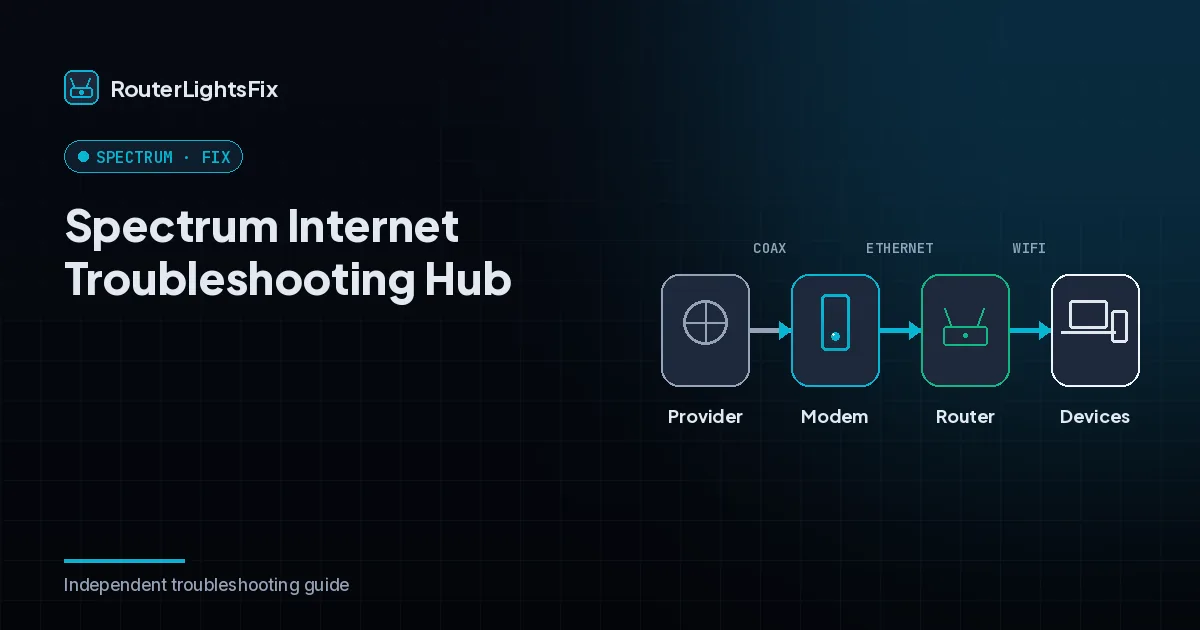
When Spectrum internet stops working, the fastest way to find the problem is to read the lights on your equipment and then work from the wall outlet inward. This hub explains what the lights mean, gives you a five-minute fix that solves most cases, and points you to the exact guide for your symptom.
Spectrum equipment comes in two common shapes: a separate cable modem (the box that connects to the coax cable in your wall) plus a WiFi router, or a single gateway that combines both. The steps below apply to all of them. Light colors and patterns vary by model, so treat the tables as a starting point and check the label on your device if something looks different.
What do the lights on Spectrum equipment mean?
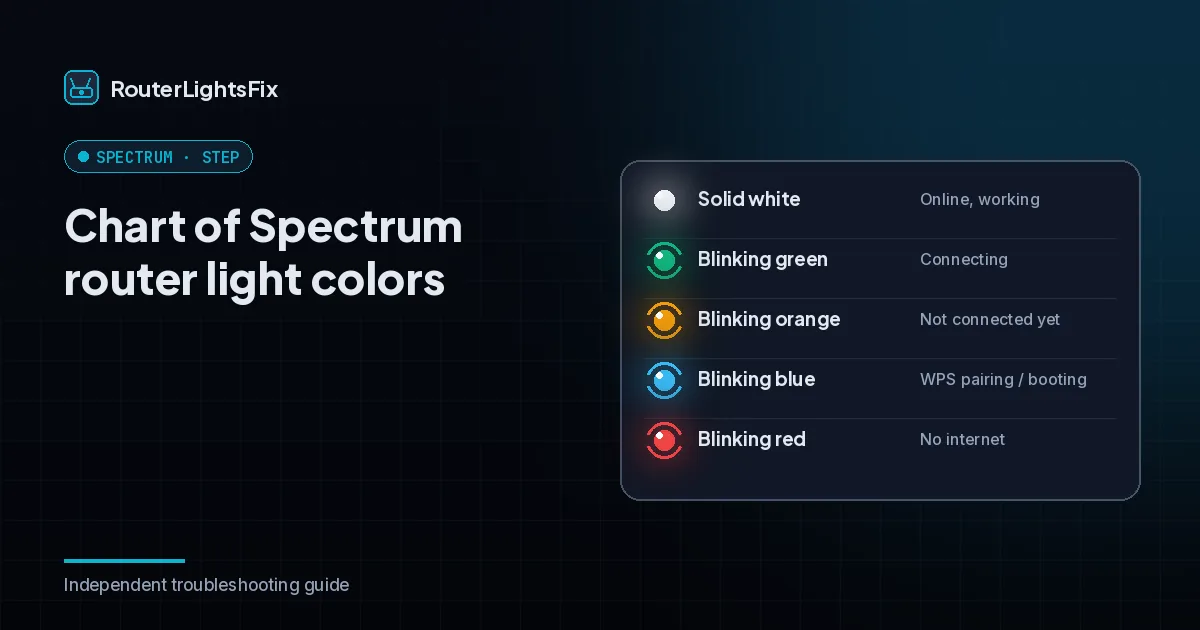
Spectrum WiFi routers use a single status light. Modems use a set of lights, and the Online light matters most.
| Light | What it usually means | What to do |
|---|---|---|
| Solid blue (router or modem Online light) | Connected and working | Nothing |
| Solid white (modem Online light) | Connected on older DOCSIS 3.0 channels | Internet works, speeds may be lower |
| Blinking blue and white | Starting up, registering or updating | Wait 3 to 5 minutes |
| Blinking red (router) | No internet connection | Check outage, cables, then power cycle |
| Solid red | Device error | Power cycle, then reset or replace |
| No light | No power | Check adapter, outlet and power strip |
The 5-minute Spectrum fix that solves most problems
This sequence clears the majority of blinking-light and no-internet complaints.
Check for an outage in the My Spectrum app (use mobile data, not your home WiFi). If there is an outage, wait for it to end.
Look at the modem first. If its Online light is off or blinking, the modem is the problem, not the router.
Tighten the coax cable finger-tight at the wall and at the modem, and press the Ethernet cable firmly into both ports.
Unplug the modem and the router and wait 60 seconds.
Plug in the modem, wait until the Online light is solid, then plug in the router and wait a few minutes.
If the problem is still there, use the guide that matches your symptom below.
Pick your Spectrum problem
Router with a red light: see our guide to a Spectrum router blinking red. Router with a blue light: read Spectrum router blinking blue. Modem stuck blinking: read Spectrum modem blinking blue and white or Spectrum modem red light. Need a restart or reset: follow how to reset a Spectrum router or how to reset a Spectrum modem. WiFi connected but nothing loads: read Spectrum WiFi not working. Setting up new equipment: see Spectrum WiFi setup. Changing your network name or password: read our Spectrum WiFi password guide. Leaving Spectrum: read how to cancel Spectrum internet.
Fix it yourself or call Spectrum?
Fix it yourself when the light is blinking after a restart, when cables look loose, or when only one device cannot connect. Contact Spectrum when there is no reported outage, the modem still will not settle after a power cycle and a direct wall connection, or the equipment is old and keeps failing. Have your model number ready (printed on the bottom label) and tell the agent what you have already tried; it shortens the call. If you are not sure whether the modem or the router is at fault, read modem vs router first.
The bottom line
Most Spectrum problems are a lost connection, a loose cable or a device that needs a clean restart, in that order. Work from the wall outward, restart the modem before the router, and only reset to factory settings as a last step.
All Spectrum guides
Spectrum Router Blinking Red
Spectrum router blinking red means it lost its internet connection. Follow these 8 fixes in order: outage check, cables, power cycle, reset and replacement.
Read the guide →How to Reset a Spectrum Router
Learn how to restart or factory reset a Spectrum router with a power cycle, the My Spectrum app or the reset button, and what you lose after a reset (2026).
Read the guide →Spectrum Router Blinking Blue
Spectrum router blinking blue? It can be normal startup, WPS pairing or an update. Learn what each blue pattern means and how to fix a light that is stuck.
Read the guide →Spectrum WiFi Not Working
Spectrum WiFi not working or internet down? Work out whether it is an outage, your modem, router or one device, then follow 9 fixes in a clear order (2026).
Read the guide →Spectrum Modem Blinking Blue and White
Spectrum modem Online light blinking blue and white? See what each color means, how long to wait and the coax, reset and support steps that fix it fast.
Read the guide →How to Cancel Spectrum Internet
How to cancel Spectrum internet: what to prepare, how to contact Spectrum, whether fees apply, how to return equipment and avoid surprise final charges.
Read the guide →Spectrum WiFi Setup and Self-Install
Set up Spectrum WiFi with the self-install kit: connect the modem and router in the right order, activate in the app and fix common setup problems (2026).
Read the guide →Spectrum WiFi Password: Find or Change It
Find or change your Spectrum WiFi password and network name in the My Spectrum app or on spectrum.net, plus how to reconnect every device afterward (2026).
Read the guide →How to Reset a Spectrum Modem
How to reset a Spectrum modem step by step: power cycle it, use the My Spectrum app or the reset button, plus battery backup tips and when to call Spectrum.
Read the guide →Spectrum Modem Red Light
Spectrum modem showing a red or flashing red light? Learn what it means and fix it with coax checks, a power cycle, an app reset and when to call Spectrum.
Read the guide →Frequently asked questions about spectrum internet troubleshooting
Why is my Spectrum internet not working?
The most common causes are a local outage, a modem that has lost its connection, a loose coax or Ethernet cable, or a router that needs a restart. Check for an outage in the My Spectrum app first, then power cycle the modem and the router in that order.
How long does a Spectrum modem take to come back online?
After a power cycle, most Spectrum modems need two to five minutes to lock onto the network and show a solid Online light. Give the router a few more minutes after that. If nothing has changed after ten minutes, move on to cable checks.
Should I unplug my modem and router at the same time?
You can unplug both together, but plug the modem back in first and wait for its Online light to settle before you power the router. Starting the router first often leaves it searching for a connection the modem has not built yet.
Does Spectrum replace faulty modems and routers for free?
Spectrum-owned equipment that fails is generally replaced at no extra charge, either by mail or at a Spectrum store. If you own your equipment, replacement is your responsibility, so confirm which situation you are in on your account.
When should I call Spectrum instead of troubleshooting?
Call or chat with Spectrum when there is no outage but the modem stays stuck blinking after a full power cycle, a cable swap and a direct connection to the wall outlet. At that point a signal problem or a provisioning issue is likely.