 RouterLightsFix
Router and Modem Lights Meaning: What Every Color Tells You
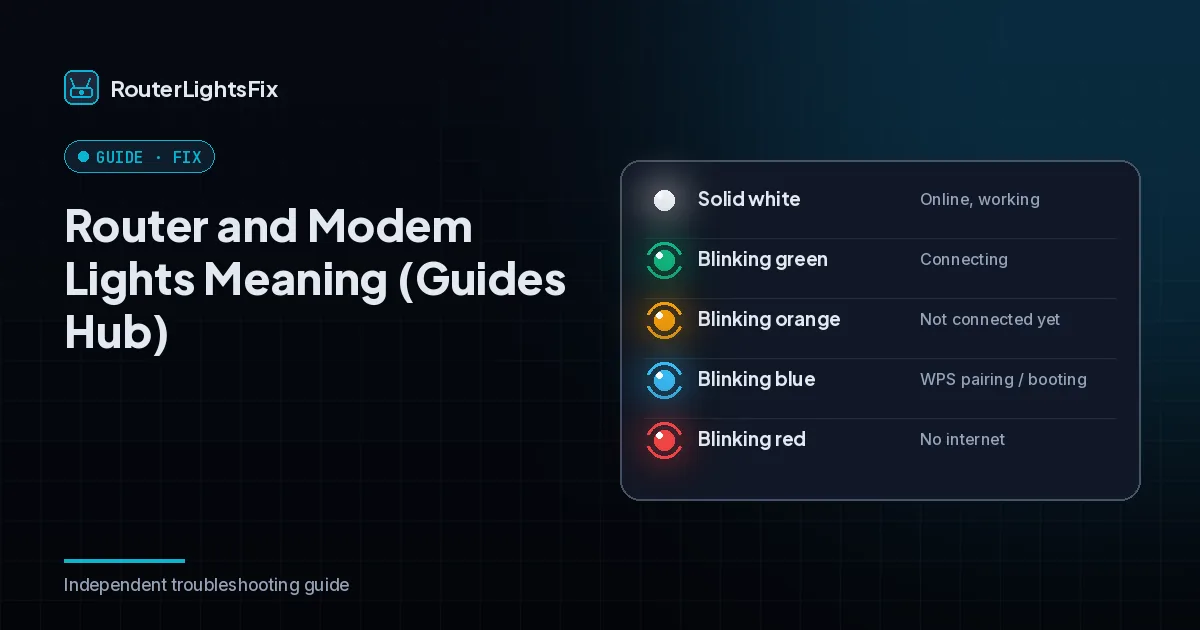
Router and modem lights are the fastest way to see what is wrong, but colors are not universal. A red light on one brand can mean something different than on another, and some lights mean different things when they blink rather than stay steady. This page explains what the common colors and patterns usually mean across brands and points you to the exact guide for yours.
Because behavior differs by device, treat this as a general reference and check your model's label or your provider's own chart when possible.
Common router and modem light colors
| Color and pattern | Usual meaning | First step |
|---|---|---|
| Solid green, white or blue | Connected and working | Nothing |
| Blinking green, white or blue | Starting up, connecting, updating or pairing | Wait 3 to 5 minutes |
| Solid red | Fault, or no internet | Restart; check the outage and cables |
| Blinking red | Cannot connect to the internet | Check the outage, modem and cables |
| Orange or amber (blinking) | Connecting or limited connectivity | Wait, then check cables and outages |
| Orange or amber (solid) | Update in progress or partial connection | Do not unplug; wait 15 to 20 minutes |
| No light | No power | Check the adapter, outlet and power strip |
What the lights are usually labeled
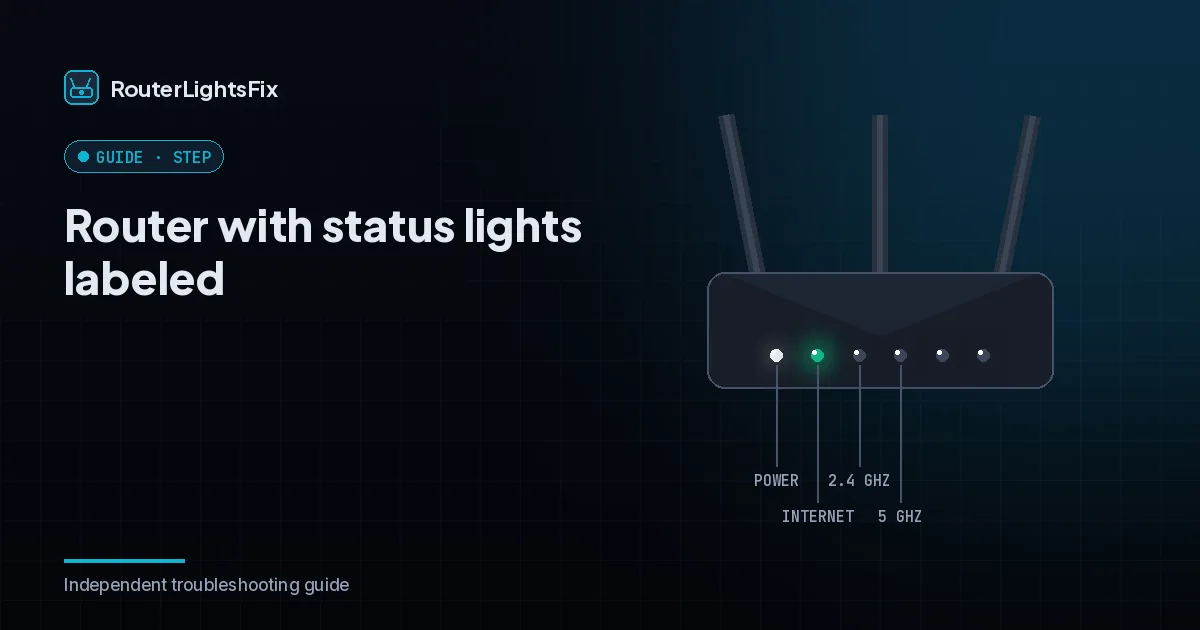
Many routers and modems have separate lights for power, internet (or online), WiFi and Ethernet. The internet light is the one that tells you whether the device reaches your provider. Modems often add downstream and upstream lights that show the connection being built with the provider.
Red light
Red usually means no internet or a fault. Confirm there is no outage, reseat the coax and Ethernet cables, and restart the modem before the router. If the light stays red after a reset, the hardware may need replacing. See the guides for Spectrum, Xfinity and AT&T for provider-specific red-light behavior.
Orange or amber light
Orange commonly means the device is connecting or has limited connectivity. It is normal for minutes after a restart. If it lasts, check the coax cable and splitters and look for an outage. Read our guides for an Xfinity router blinking orange and a Cox router blinking orange.
White and blue lights
White or blue is often the healthy color, but blinking can mean starting up, an update or pairing. Give it several minutes before acting.
The universal fix
Check for an outage using your provider's app on mobile data.
Reseat the coax, Ethernet and power cables and remove splitters.
Unplug the modem and router for 60 seconds.
Plug in the modem, wait for its internet light to settle, then plug in the router.
If that does not work, see how to restart a router, how to reset a modem and why your internet is not working.
Provider-specific guides
Spectrum owners can start at the Spectrum troubleshooting hub. Xfinity owners can read the Xfinity gateway lights guide. AT&T and Cox owners have their own hub pages, and we cover Optimum, Frontier, Verizon Fios and CenturyLink as well.
The bottom line
Red is usually no connection, orange is usually connecting, and white or blue is usually healthy. Wait a few minutes, then check for an outage and cables before you reset.
All general guides
Modem vs Router: What Is the Difference?
Modem vs router explained in plain English: what each one does, how they connect, what a combo gateway is and how to tell which device is failing (2026).
Read the guide →How to Restart or Reset a Router
Learn how to restart a router safely, when to factory reset it and what you lose. Includes the correct unplug order for a modem and a router for 2026.
Read the guide →Why Is My Internet Not Working?
Internet not working? Find out whether the problem is your device, router, modem or provider, and follow 10 fixes in order to get back online fast (2026).
Read the guide →How to Change a WiFi Password on Any Router
Change your WiFi password from your router settings or provider app. Step-by-step for any router, plus how to pick a strong password and reconnect devices.
Read the guide →How to Find Your WiFi Password
Find your WiFi password on the router label, in your router settings or on Windows, Mac, iPhone and Android with the step-by-step methods in this guide.
Read the guide →How to Reset a Modem
How to reset a modem: power cycle it, use your provider app or press the reset button. Includes what to expect and what to do if it will not reconnect.
Read the guide →How to Log Into Your Router
How to log into your router: find its IP address, open the admin page in a browser and sign in. Includes what to do when the login page does not work.
Read the guide →Frequently asked questions about router lights meaning
What does a red light on a router mean?
On most routers a red light means the device cannot connect to the internet or has a fault. Check for an outage, reseat cables and restart the modem, then the router.
What does a blinking orange or amber light mean?
Orange or amber often means the device is connecting, updating or has limited connectivity. Wait a few minutes, then check for outages and cables.
What does a white light on a router mean?
It varies by brand. Solid white commonly means online and working, while blinking white can mean starting up or pairing.
What does a blinking blue light mean?
Blue usually relates to pairing (WPS) or a normal connected state, depending on the brand. Blinking blue is often not a fault.
Are router light colors the same across brands?
No. Colors and patterns differ by manufacturer, provider and model. Use the label or your provider's chart, and use this page as a general guide.
What should I do first when a router light looks wrong?
Check for an outage, make sure cables are seated, and restart the modem first and the router second.